Home office lighting: bulbs, desk lamps and layout for working from home

Some links below are affiliate links: if you buy through them I may earn a small commission, at no extra cost to you. As an Amazon Associate I earn from qualifying purchases. How LightGuru makes money

Mike's quick answer
Put the desk side-on to the window, light the desk to 300–500 lux with a desk lamp of 500–800 lumens, and keep the rest of the room lit as well. Use 4000K for daytime work and warmer light in the evening. For video calls, put a soft light in front of you, never a window behind you.
Most home offices start life as a spare room with one bulb in the middle of the ceiling. It’s fine on a bright morning. By four o’clock on a grey January afternoon, the desk is gloomy, the screen glares, your eyes are tired and on video calls you look like you’re sitting in a cupboard.
None of that needs an electrician to fix. Where the desk sits relative to the window matters more than any light you buy. After that you need two layers of light, one for the room and one for the desk, in the right colour of white for the time of day, plus something soft in front of your face for calls.
Put the desk side-on to the window
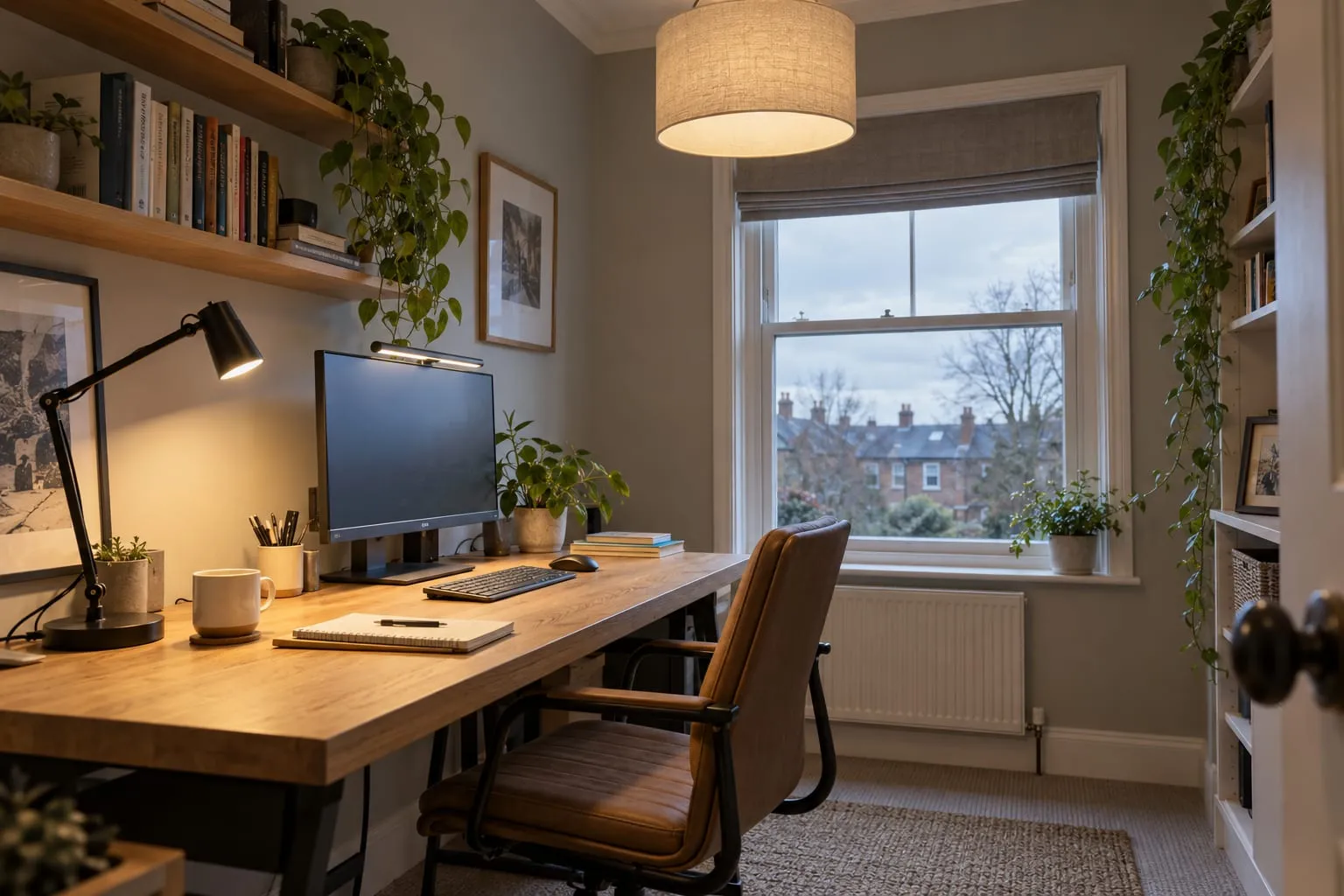
Daylight is the best light you’ll get, so use it, but from the side. With the window to the left or right of the screen, the light falls across the desk without shining in your eyes or bouncing off the screen. If you’re right-handed and write on paper, a window on your left keeps your hand from shading the page; left-handers want it on the right.
The two other positions both cause problems. Facing the window puts a bright rectangle directly behind the screen, so your eyes keep adjusting between the two and the screen looks dim. With the window behind you, it reflects in the screen, and on a video call the camera sees a bright window and turns you into a silhouette.
The sun still moves round, so you’ll want some way of softening it. Blinds that adjust are the most useful, and the HSE’s display screen equipment checklist notes that blinds with vertical slats can suit screen work better than horizontal ones. A sheer voile works too in a north-facing room, where the light is steadier and there’s rarely direct sun to deal with.
Stop glare and reflections on the screen
Reflections come from anything bright behind you or above and behind your head: a window, a ceiling light, a lamp, even a white wall in sunshine. The HSE suggests a simple check: hold a mirror flat against the screen and look at it from your seat. Whatever you can see in the mirror is what’s reflecting in the screen.
The usual culprit at night is the ceiling light. In a small room the central pendant often sits behind the chair, so it reflects right in the middle of the screen. Moving the desk is the first fix. If you can’t, use a shade that hides the bulb, or rely on the desk lamp and a lamp beside the desk instead and leave the ceiling light off while you work. With downlights, the one directly behind your chair is the problem; if you’re having them fitted, ask for the ones near the desk to be on their own switch.
Glossy laptop screens and shiny desk tops make all of this worse. A matt monitor, a matt desk mat and a lamp with a shade deep enough to hide the bulb from your eyes go a long way.
How bright the desk should be
The standard UK lighting designers work to for offices, BS EN 12464-1, sets 500 lux for writing, typing, reading and data processing. CIBSE’s office lighting guide, LG7, recommends a lower 300 lux for mainly screen-based work and 500 lux for paper-based work. Those are workplace figures, but they translate well to a desk at home.
So aim for 300 to 500 lux on the desk: towards 300 if you’re mostly looking at a screen, which gives off its own light, and towards 500 for reading, writing, drawing or anything on paper. Older eyes need more light, so go to the top of the range if small print is harder to read than it used to be.
Lux is the light that actually lands on the desk, which is why a desk lamp is the efficient way to get there. A lamp of 500 to 800 lumens, angled onto the desk, puts that level on the patch where you’re working without having to light the whole room to office levels. Many LED desk lamps and monitor light bars quote the lux they deliver at a set height, which saves the guesswork: look for 500 lux or more over the working area.
The standard also asks for the area around the desk to be lit to 300 lux when the desk is at 500, and for the rest of the room to be no darker than about a third of that. In plain terms: don’t work at a bright desk in a dark room. The contrast is tiring after a few hours. For the room as a whole, the lumens guide suggests 300 to 500 lumens per square metre for a home office, from all the lights together. In a 2.5 by 3m box room that’s 2,250 to 3,750 lumens: a 1,521-lumen bulb overhead or two 806s in a twin fitting, plus a desk lamp of about 800 lumens, gets you into the range.
Room light and desk light together
Think of it as two layers. The ceiling light lights the room, softly and from above. The desk lamp lights the desk, brightly and from the side. Neither can do the other’s job: a brighter ceiling light alone still leaves you working in your own shadow, and a desk lamp alone leaves you in a pool of light in a dark room.
For the room layer, a diffused fitting such as a fabric drum or opal shade is better than a bare bulb or a single spotlight. An uplighter that bounces light off the ceiling is even better for screen work, because the light arrives from everywhere and there’s no bright point to reflect in the screen.
The third, optional layer is a little light behind the screen. A lamp on a shelf behind the monitor, a wall light, or an LED strip on the back of the monitor softens the contrast between a bright screen and a dark wall, which a lot of people find easier on the eyes in the evening.
Which white: 4000K by day, warmer in the evening
For daytime work, 4000K neutral white is the one I’d choose for the desk lamp and any ceiling light over the desk. It’s crisp and clear without the blue, clinical look of 6500K daylight bulbs, and it sits comfortably next to real daylight from the window.
In the evening, the same light starts to feel like an office. Many people find cool, bright light late in the evening makes it harder to switch off, and there’s some research suggesting it can delay sleep, though it’s far from the only factor. The simple answer is to work under 4000K during the day and drop to a warmer 2700K to 3000K, dimmer, after dark.
Tunable white does that from one bulb or lamp. Smart bulbs such as Philips Hue White Ambiance run from 2200K to 6500K and can change on a schedule, and many LED desk lamps let you slide between warm and cool. If the office doubles as a guest room or part of a bedroom, it’s the neatest answer. The colour temperature guide explains the difference between 4000K and 6500K.
Colour rendering
CRI tells you how true colours look under a light, on a scale up to 100. BS EN 12464-1 asks for at least 80 at office desks, and that’s fine for everyday work. If you work with colour, such as photos, design, illustration, sewing or make-up, look for CRI 90 or more in the desk lamp at least. It also makes skin look more natural on camera.
The two numbers are independent, so check both: 4000K tells you the colour of the light, CRI tells you how good it is. More in CRI vs colour temperature.
Desk lamps and monitor light bars
A desk lamp is the most important light in a home office, and the one most people skimp on. Choose one with an arm or head you can angle, a shade that hides the bulb or LED from your eyes, and ideally a dimmer. Put it on the opposite side to your writing hand, a little in front of you, angled down onto the desk and away from the screen.
A monitor light bar is the newer option. It clips on top of the screen, runs from a USB port and throws its light forward and down onto the desk at an angle that doesn’t hit the screen. On a small desk it takes no space at all.
| Desk lamp | Monitor light bar | |
|---|---|---|
| Desk space | Needs a base or clamp | None, sits on the screen |
| Paper and drawing | Aim it where you need it | Fixed strip in front of the screen |
| Screen glare | Possible if badly angled | Designed to avoid it |
| Bulb | Many take a standard bulb | Built-in LED |
| Rough cost | About £10–£300 | About £20–£170 |
Yellow = the better option on that line.
If you do mostly screen work at a small desk, a light bar is the tidier answer. If you write, read paper or draw, a desk lamp you can aim is more useful, and many people end up with both. A lamp that takes a standard bulb has one more advantage: you choose the bulb, so you can fit a Philips 4000K LED for work and swap it if you change your mind. If you have a webcam on top of the monitor, check a light bar leaves room for it.
Cheap LED lamps sometimes flicker, especially when dimmed. If you notice it, or a lamp makes your eyes ache when others don’t, try a better one. If your eyes still ache after a day at the screen, have them tested.
Lighting for video calls
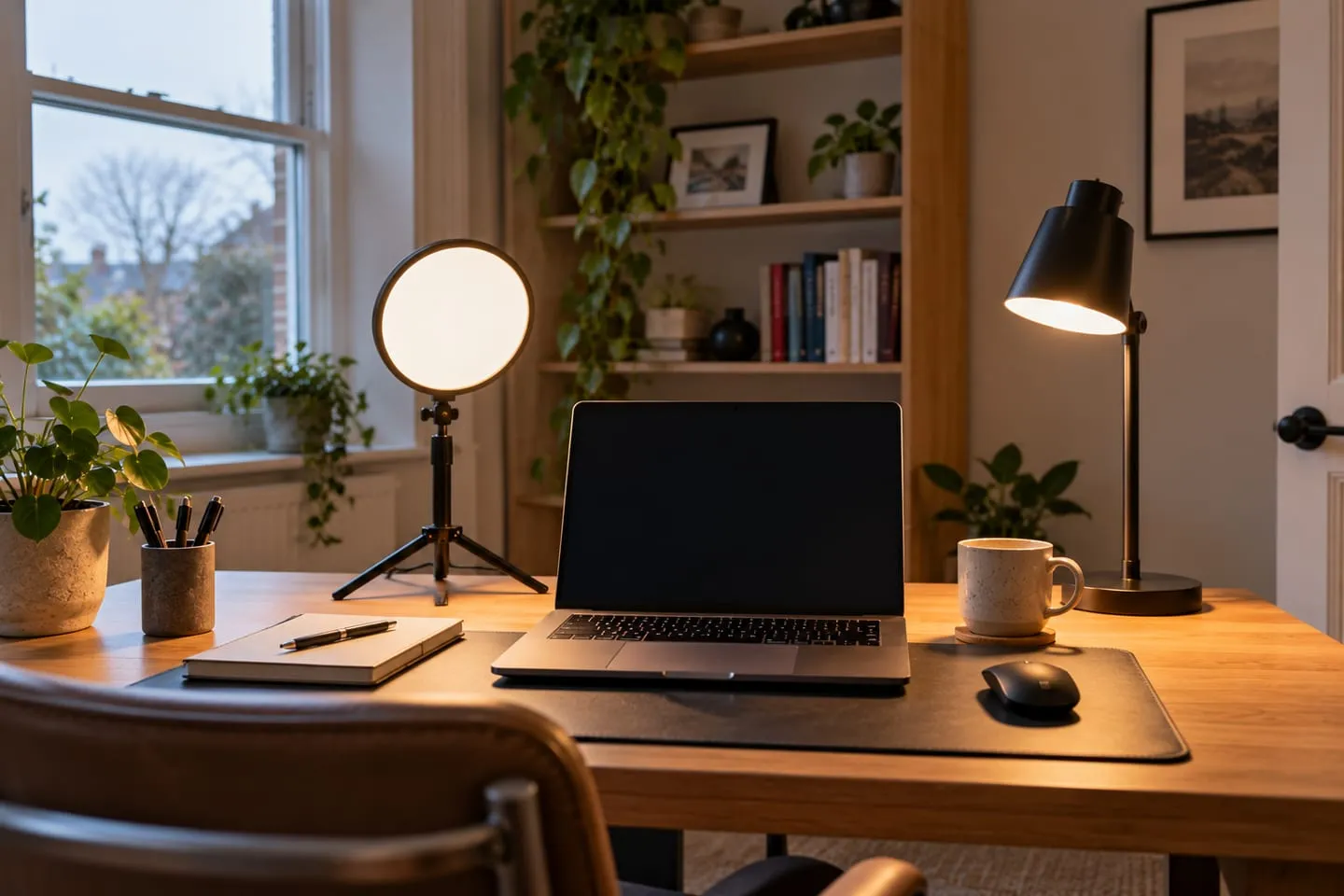
The rule for calls is simple: the light goes in front of you, not behind. A soft light behind or beside the screen, roughly at eye level or a little above, lights your face evenly and gives the camera something to work with.
A window behind you is the worst set-up. The camera adjusts for the bright window, and your face goes dark. Facing a window gives lovely light for calls but brings back the screen glare, so with the desk side-on, add a light on the side away from the window to fill in the shadow on that half of your face.
A light that’s soft and wide flatters more than one that’s small and bright. A desk lamp turned to bounce off the wall in front of you works. So does a small LED panel with a diffuser on top of the monitor; the Logitech Litra Glow is a popular one. If you wear glasses, any light straight in front of you shows up in the lenses, and a ring light shows as a ring in each one. Raise the light a little above eye level or move it off to one side and tilt it towards you, and the reflection mostly drops out of view. Overhead light on its own throws shadows under your eyes and nose.
Match the colour of the call light to the room. The camera balances for one white, so a cool 6500K panel in a warm 2700K room makes either you or the background look odd. And a lamp in the background, on a shelf or side table, adds a bit of depth behind you, as long as it’s dimmer than the light on your face.
Bulbs for a spare-room office
In a room that’s only an office, 4000K throughout is fine. In a spare room that’s also a guest bedroom, I’d keep the ceiling light warm, at 2700K or 3000K, and put the 4000K bulb in the desk lamp, or use a tunable smart bulb overhead so the room can be either. The bedroom lighting guide covers making the same room comfortable for guests.
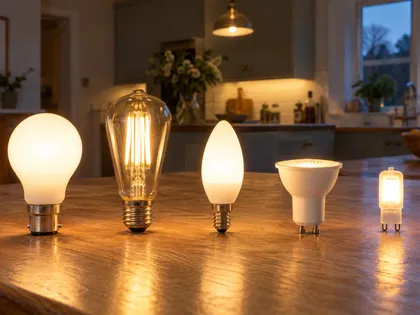
Before you buy, check what the fittings take. Most UK ceiling lights use B22 bayonet or E27 screw caps, desk lamps often take E27 or E14, and some newer lamps have built-in LEDs with no bulb at all. If you’re not sure what you’ve got, light bulb fittings explained shows each one.
If you want to dim the ceiling light, use dimmable bulbs and a trailing-edge LED dimmer; the LED dimmer switch guide explains which. Smart bulbs are the exception: they need constant power, so leave them on an ordinary switch. My bulb picks for a home office are in the best LED bulbs guide.
Garden offices
A garden office gets more daylight than most spare rooms, usually through big glazed doors, so the same rule applies: put the desk side-on to the glass, not facing it or with it behind you. Fit blinds. After dark, a wall of black glass reflects every light in the room and shows up behind you on calls, so you’ll want them shut in the evening as well as on sunny days.
The power supply to a garden office is normally a new circuit from the house, which is notifiable under Part P of the Building Regulations in England, so it’s a job for a registered electrician. Plan the lighting with them at the same stage: a ceiling light, a socket for the desk lamp where the desk will go, and a light outside the door. Any outside light needs a suitable IP rating, explained in the outdoor IP ratings guide. Inside, the low ceilings in many garden rooms suit flush fittings or wall lights better than a pendant.
What I'd buy for a home office
Affiliate linksFAQs
How bright should home office lighting be?
About 300 to 500 lux on the desk: nearer 300 for screen work and 500 for paper. A desk lamp of 500 to 800 lumens gets you there, with the ceiling light keeping the rest of the room from feeling dark.
What colour light is best for a home office?
4000K neutral white for daytime work, at the desk and over it. Switch to warmer, dimmer light of 2700K to 3000K in the evening, or use a tunable white bulb or lamp that does both.
Where should my desk go in relation to the window?
Side-on to it, with the window to the left or right of the screen. Facing the window causes glare; with the window behind you, it reflects in the screen and leaves your face dark on video calls.
Are daylight bulbs good for a home office?
6500K daylight bulbs are bright but harsh, especially in the evening or in a room that’s also a bedroom. 4000K is crisp enough for work and easier to live with.
How do I light my face for video calls?
Put a soft light in front of you, behind or beside the screen, at about eye level or a little above. Never sit with a window behind you. If you wear glasses, raise the light or move it off to one side so it doesn’t reflect in the lenses.
Is a monitor light bar better than a desk lamp?
For screen work at a small desk, often yes: it takes no space and doesn’t glare on the screen. For paperwork, reading or drawing, a desk lamp you can aim is more useful.
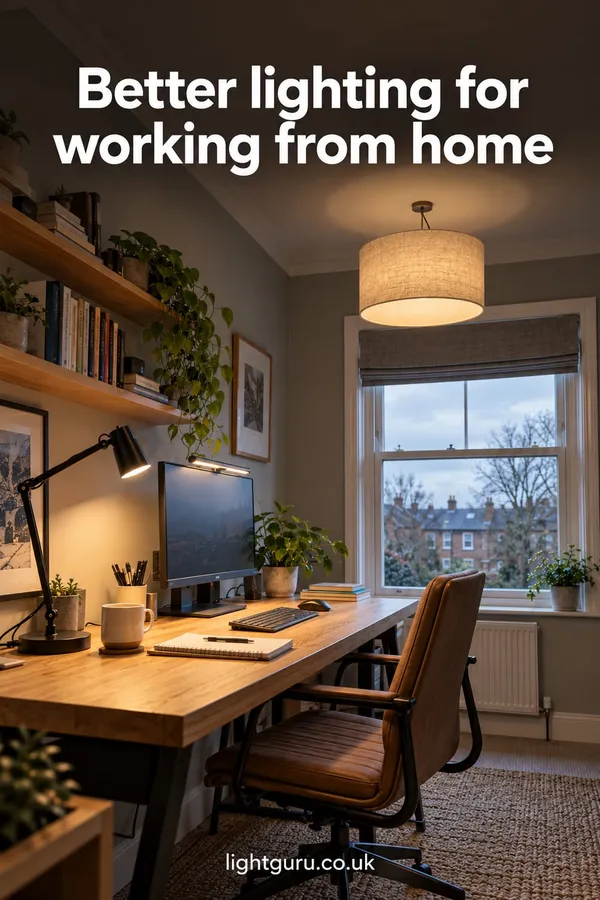 Save
SaveSave it for later
Pin this guide to one of your Pinterest boards so it's there when you start the job.